
Walk into any major IT park in Hyderabad, Bangalore, Pune, or Vijayawada and the entry experience is the same. You badge in, the sleek flap barrier opens in under a second, you walk through, and it closes silently behind you. No guard checking ID cards. No manual register. No queue.
That seamless, professional entry experience is what separates a modern IT campus from an ordinary office building — and it is entirely powered by a well-designed flap barrier system.
But a flap barrier in an IT park is not just about aesthetics. It is a live security and attendance infrastructure running 24 hours a day, 365 days a year — tracking every employee, contractor, and visitor who enters or exits, feeding data directly to HR and payroll, and ensuring that at any given moment, your security team knows exactly who is in the building.
This guide covers everything about flap barriers for IT parks and corporate offices — why they are essential, how they are configured for the specific demands of a tech environment, what to look for before buying, and what a complete IT park flap barrier system costs in India.
💡 Raise Solutions designs and installs complete flap barrier access control systems for IT parks, corporate campuses, and tech offices across Vijayawada, Hyderabad, Bangalore, Pune and Mumbai. Call +91 8522959096 for a free site survey.
Why IT Parks Have Unique Access Control Requirements
An IT park or large corporate campus is not a regular office. The access control challenges are significantly more complex than a single-building business — and a basic flap barrier setup that works for a 50-person office will fail badly at scale.
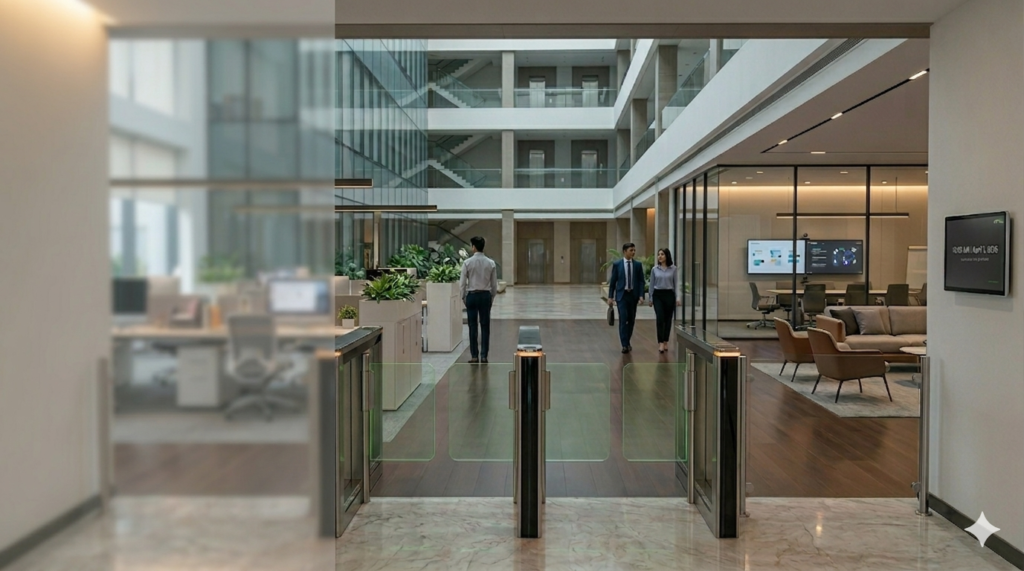
Here is what makes IT parks different:
Multiple Entry Points
A large IT campus may have 3 to 8 separate entry and exit points — main lobby, staff entrance, parking access, canteen entry, server room corridor, terrace access. Each needs to be controlled independently, with different access rules for different zones.
Multi-Tenant Environment
Most IT parks house multiple companies within one campus. Company A’s employees should not be able to access Company B’s floors. Access rules must be configured at the company, department, floor, and individual level — simultaneously.
Shift-Based Operations
IT companies run day shifts, evening shifts, and night shifts. Some employees work fixed hours, others have flexible timing. The flap barrier system must handle all of this without creating false attendance records or allowing after-hours access to restricted areas.
High Peak-Hour Traffic Volume
At 9 AM and 6 PM, hundreds of employees arrive and depart within a 20-minute window. The flap barrier system must process them fast enough that no queue forms — even a 30-second average processing time per person will create a 50-person queue at peak if the lane count is wrong.
Contractor and Visitor Management
IT parks host large volumes of contractors — electricians, housekeeping, facilities staff, IT vendors — and visitors. These groups need controlled, time-limited access that is completely different from permanent employee credentials.
Data Security Compliance
IT companies handling client data — particularly those with ISO 27001, SOC 2, or government contracts — have specific physical access control documentation requirements. The flap barrier system must generate audit-ready logs of every entry and exit for compliance reporting.
24/7 Operation
Unlike a 9-to-6 office, IT parks run continuously. The flap barrier system must be engineered for 24-hour operation with UPS backup, high duty-cycle motors, and fast-response AMC support.
How a Flap Barrier System Works in an IT Park
A well-designed IT park flap barrier system is not just a gate. It is a networked access control infrastructure with multiple components working together.
The Hardware Layer
Optical Flap Barrier Units
The physical barrier units installed at each entry lane. For IT parks, optical flap barriers with tempered glass or premium acrylic wings are the standard choice — they match the professional aesthetic of a tech environment and handle high-volume throughput reliably.
Number of lanes per entry point is calculated based on peak-hour traffic. As a rule — one lane handles 600 to 800 persons per hour at RFID card speed, or 400 to 600 per hour at face recognition speed. A 500-person office peaking at 9 AM needs a minimum of 4 to 6 lanes.
Credential Readers
Every flap barrier unit has a credential reader mounted on the pedestal. In IT parks, the most common credential options are:
- RFID card — fastest throughput, most widely deployed
- Face recognition terminal — contactless, increasingly standard post-COVID
- Mobile credential (Bluetooth/NFC) — phone-based entry without a physical card
- Dual credential — card + PIN, or card + face, for high-security zones
Controller Unit
The electronic brain of each barrier unit that receives the credential signal, checks it against the access database, and decides whether to open or deny the flap. The controller communicates with the central server in real time.
Central Access Control Server
A server (on-premise or cloud) that stores all credential data, access rules, attendance records, and audit logs. All barrier units across all entry points connect to this server — creating one unified system across the entire campus.
Visitor Management Kiosk
A self-service or guard-operated kiosk at the reception where visitors register, get a temporary credential (printed badge or QR code on phone), and are assigned time-limited access to specific areas only.
The Software Layer
Access Control Software
Manages who has access to which zone at which time. An HR manager can add a new employee, assign their floor access, and set their working hours — all from a browser. When that employee’s tenure ends, their credential is deactivated instantly from the same interface.
Attendance Management Module
Every flap barrier entry is an attendance punch-in. Every exit is a punch-out. The system calculates working hours, overtime, late arrivals, early departures, and absent days automatically — no manual register, no proxy attendance.
Payroll Integration
Attendance data exports directly to payroll software — EasyPayPro or any third-party payroll platform — for automatic salary calculation. No HR team manually counting days at month end.
Real-Time Dashboard
Security managers can see in real time how many people are in the building, which zones are occupied, and which entry points are experiencing high traffic — from any device, from anywhere.
Visitor Management Software
Tracks every visitor from pre-registration through entry, movement, and exit. Generates a complete visitor log for compliance and incident investigation.
Types of Flap Barriers Used in IT Parks
Not all flap barrier types suit an IT park environment. Read our complete guide on types of flap barriers for the full breakdown — but for IT parks specifically, three types dominate:
Optical Flap Barrier — Standard Choice
The most widely installed type in Indian IT parks. Stainless steel housing, acrylic or tempered glass wings, IR anti-tailgating sensors. Available in lane widths of 550 to 900mm.
Why IT parks choose it:
- Aesthetically matches a professional tech environment
- Fast enough for peak-hour high-volume throughput
- Works with all credential types including face recognition
- Anti-tailgating sensors essential for data-secure environments
- Proven reliability in continuous 24/7 operation
Speed Gate / Drop Arm — Premium Lobbies
Ultra-slim pedestals with vertical drop arm or rising arm — the sleekest looking entry control available. Chosen for premium tech company headquarters, MNC offices, and co-working spaces where the lobby makes a client impression.
Why some IT parks choose it:
- Thinnest profile — creates the most open-looking entry
- Fastest operation — sub-0.2 second cycle time
- Premium aesthetic matches enterprise-grade interior design
Trade-off: Higher cost, slightly less physical deterrence than standard flap barriers.
Swing Barrier — Accessible Lanes
One swing barrier lane is mandatory in any installation that receives regular visitors or has employees with mobility requirements. The wider 900 to 1200mm lane accommodates wheelchairs, delivery trolleys, and visitors with luggage.
Most IT park installations follow the standard: 4 to 6 optical flap lanes + 1 swing barrier accessible lane per entry point.
Zone-Based Access Control — The Core of IT Park Security
The most important feature of a flap barrier system for IT parks is zone-based access control — the ability to define different access rules for different areas of the campus and enforce them automatically.
Typical Zone Structure in an IT Park
Zone 1 — Public Lobby
Open to all visitors who have checked in at reception. No credential required to enter the lobby area itself — this is pre-barrier.
Zone 2 — Main Working Floors
All permanent employees have access. Contractors have access only during their permitted working hours. Visitors have access only when escorted by a registered employee.
Zone 3 — Data Centre / Server Room
Only designated IT infrastructure team members have access. Access logged and reported for ISO 27001 compliance. Dual-credential verification — card plus PIN or card plus face recognition.
Zone 4 — Finance and Legal Floor
Access limited to finance and legal department employees only. All other employees — including senior management without explicit access grant — are denied.
Zone 5 — Executive Floor
Access limited to C-suite and specifically authorised individuals. Visitor access requires explicit pre-authorisation from the executive’s assistant.
Zone 6 — Rooftop / Utility Areas
Access limited to facilities management team only. Logged for safety compliance.
How it works practically: An IT support engineer’s RFID card opens the main lobby barrier, their floor barrier, and the server room barrier — but will be denied at the finance floor barrier and executive floor barrier. All of this is configured once in the access control software and enforced automatically, permanently, 24 hours a day.
Visitor Management in IT Parks — A Critical Layer
IT parks receive enormous volumes of visitors — clients, vendors, job candidates, delivery personnel, regulatory inspectors, and service contractors. Managing these visitors manually is a major security vulnerability and an operational headache.
A properly integrated visitor management system connected to your flap barrier eliminates this entirely.
How Visitor Management Works
Pre-Registration
The employee who is expecting the visitor registers them in the visitor management system in advance — name, purpose, expected arrival time, floor access required, escort required or not.
Arrival
The visitor arrives at reception, states their name. The receptionist or self-service kiosk verifies the pre-registration, takes the visitor’s ID, captures their photo, and issues a temporary credential — a printed visitor badge with a QR code or a one-time digital pass on their phone.
Entry
The visitor presents the QR code at the flap barrier reader. The system checks that the credential is valid for the current time and the zone they are attempting to enter. The barrier opens.
Zone Restriction Enforcement
The visitor’s credential is configured to open only the specific floors they are authorised to visit. If they attempt to enter a restricted zone, the barrier stays closed and an alert is generated.
Exit and Auto-Expiry
When the visitor exits, their credential is marked inactive. If they do not exit by a configured time, an alert is sent to the receptionist and their escort. The credential auto-expires regardless — it cannot be used the next day.
Audit Log
A complete record of every visitor — photo, ID number, entry time, zones visited, exit time, escorting employee — is stored and searchable for compliance and incident investigation.
Attendance Accuracy — The Business Case IT Parks Care About Most
For IT companies — especially those handling client billing, government contracts, or labour law compliance — attendance accuracy is a financial matter, not just an HR convenience.
The Problem Flap Barriers Solve
Proxy Attendance
In biometric-only systems, employees can sometimes manipulate attendance. A flap barrier with face recognition at the entry point makes proxy physically impossible — the face must be present to open the gate.
Manual Data Entry Errors
HR teams spending hours manually reconciling attendance registers make errors. These errors affect payroll, leave calculations, and overtime — all of which are legal liabilities. The flap barrier system eliminates manual entry entirely.
Contractor Billing Disputes
IT parks often dispute contractor invoices because the claimed attendance does not match the actual headcount. A flap barrier system provides tamper-proof entry-exit logs — the indisputable record for contractor billing verification.
Labour Law Compliance
The Factories Act, Shops and Establishments Act, and various state labour laws require documented records of working hours. A flap barrier attendance system generates these records automatically in the format required for labour inspections.
Multi-Site Attendance
IT companies with employees working across multiple offices — all with Raise Solutions flap barrier systems — see attendance from all locations on one dashboard. One employee cannot be marked present at two locations simultaneously.
Security Incident Response — Why Headcount Matters
In any security incident — fire, threat, medical emergency, or evacuation — knowing exactly how many people are in the building and where is critical for emergency responders.
A flap barrier system provides this in real time.
Live Headcount
The security dashboard shows a live count of everyone currently inside the building — employees, contractors, visitors, all counted separately.
Zone-Level Headcount
Not just total building headcount — the system knows how many people are in each zone. Fire wardens can see which floors are occupied and prioritise evacuation accordingly.
Instant Evacuation List
In an emergency, one click generates a complete list of everyone in the building — name, company, zone, entry time — for emergency services to use.
Visitor Accountability
Every visitor in the building is logged. In an incident, the visitor log ensures no visitor is unaccounted for during evacuation.
This level of emergency preparedness is increasingly required under workplace safety regulations and is becoming a standard expectation for IT companies seeking ISO 45001 occupational safety certification.
IT Park Flap Barrier — Complete System Specification
Here is what a complete, enterprise-grade flap barrier system for an IT park includes:
Hardware Per Entry Point
- 4 to 6 optical flap barrier lanes (acrylic or glass wings)
- 1 swing barrier lane (accessible/visitor)
- RFID or face recognition credential readers on each lane
- IP camera above each lane (CCTV integration)
- Visitor management kiosk at reception
Central Infrastructure
- Access control server (on-premise or cloud)
- UPS for all barrier units and server
- Network switches for barrier-to-server communication
- Central security monitoring display
Software
- Access control and zone management software
- Attendance management module
- Visitor management module
- Payroll integration connector
- Real-time dashboard and reporting
- Mobile app for remote monitoring (select packages)
Services
- Free site survey and lane configuration design
- Civil work — floor anchoring, channel cutting for cables
- Full installation and wiring
- Software configuration — zones, access rules, shift schedules
- Credential enrollment — all employee RFID cards or face registration
- Staff training — security team, HR team, reception
- 1-year warranty on all hardware
- AMC available from Year 2
How Many Flap Barrier Lanes Does Your IT Park Need?
This is the most common question and the most commonly under-answered one. Too few lanes creates bottlenecks at peak hours. Too many wastes capital.
The calculation:
Step 1 — Identify your peak 15-minute headcount. How many people arrive in the busiest 15 minutes of the day (typically 8:45 to 9:00 AM)?
Step 2 — Divide by 10 to get the minimum number of lanes needed. (One lane handles approximately 10 people per minute at RFID speed, or 7 per minute at face recognition speed.)
Step 3 — Add 20% buffer for real-world variability.
| Employee Count | Peak 15-min Arrivals | Minimum Lanes | Recommended Lanes |
|---|---|---|---|
| Up to 100 | ~50 | 2 | 3 |
| 100 – 300 | ~120 | 3 | 4–5 |
| 300 – 600 | ~200 | 4 | 5–6 |
| 600 – 1,000 | ~300 | 5 | 6–8 |
| 1,000 – 2,000 | ~500 | 7 | 8–10 |
| 2,000+ | 700+ | Site assessment required | — |
Always include at least one swing barrier accessible lane in the count regardless of total headcount.
Flap Barrier for IT Parks — Price Guide India 2026
The total cost of a flap barrier system for an IT park depends on the number of entry points, lanes per entry point, credential type, and software requirements. Here is a realistic range:
Small IT Office — 50 to 150 Employees, 1 Entry Point
| Component | Cost |
|---|---|
| 3 optical flap barrier lanes | ₹2,40,000 – ₹4,20,000 |
| 1 swing barrier lane | ₹60,000 – ₹1,00,000 |
| RFID readers (4 units) | ₹40,000 – ₹80,000 |
| Access control software | ₹30,000 – ₹60,000 |
| Installation and civil work | ₹40,000 – ₹70,000 |
| Total Approximate | ₹4,10,000 – ₹7,30,000 |
Mid-Size IT Campus — 300 to 800 Employees, 2 Entry Points
| Component | Cost |
|---|---|
| 10 optical flap barrier lanes | ₹8,00,000 – ₹16,00,000 |
| 2 swing barrier lanes | ₹1,20,000 – ₹2,40,000 |
| Face recognition terminals (12 units) | ₹3,00,000 – ₹6,00,000 |
| Access control server + software | ₹1,00,000 – ₹2,00,000 |
| Visitor management system | ₹50,000 – ₹1,00,000 |
| Installation, cabling, civil work | ₹1,50,000 – ₹2,50,000 |
| Total Approximate | ₹15,20,000 – ₹29,90,000 |
Large IT Park — 1,000+ Employees, Multiple Buildings
Price varies significantly by site — contact us for a detailed site-specific quotation. Typically ₹30,00,000 to ₹80,00,000+ for full multi-building campus deployment including all hardware, software, civil work, and commissioning.
For a detailed breakdown of flap barrier costs by type and lane count, read our complete flap barrier price guide India 2026.
ROI — What IT Parks Save With a Flap Barrier System
The investment in a flap barrier system pays back through multiple channels simultaneously.
Manpower Saving
A typical IT park entry point requires 2 to 3 security guards during peak hours for manual verification. At ₹15,000 to ₹20,000 per guard per month, 3 guards at 2 entry points cost ₹90,000 to ₹1,20,000 per month in salary alone. A flap barrier system replaces this with 1 monitoring guard per entry point.
Payroll Accuracy
Manual attendance errors in a 500-person company typically cause 2 to 5% payroll discrepancies per month — which at an average salary of ₹40,000 translates to ₹40,000 to ₹1,00,000 in monthly errors. Automated attendance eliminates this entirely.
Contractor Billing Verification
IT parks typically manage 50 to 200 contractors. Even a 5% billing discrepancy on contractor invoices — caught by flap barrier attendance logs — saves significant amounts monthly at scale.
Compliance Penalty Avoidance
Labour law non-compliance, ISO audit failures, or data security violations caused by inadequate access control can result in penalties far exceeding the system cost.
For a detailed side-by-side cost comparison, read our guide on flap barrier vs security guard cost.
Real-World Configuration — What Raise Solutions Delivers
When Raise Solutions installs a flap barrier system at an IT park, here is exactly what we deliver:
Week 1 — Site Survey and Design
Free visit by our access control engineer. Full site measurement, traffic flow analysis, zone mapping, and system design. Detailed proposal with itemised pricing, installation timeline, and maintenance terms.
Week 2 — Order Confirmation and Procurement
System components ordered and scheduled. Civil work preparation — floor plans, cabling routes, power points identified.
Week 3 — Installation
Barrier units positioned and anchored. Cabling routed and connected. Credential readers mounted. Server and network infrastructure set up.
Week 4 — Configuration and Commissioning
Access control software configured with all zones, access rules, and shift schedules. All employee credentials enrolled — RFID cards programmed or face templates registered. Full system testing under simulated peak-hour traffic. Visitor management system configured and tested. CCTV integration verified.
Week 4 — Training and Handover
Security team training — monitoring, credential management, incident response.
HR team training — attendance reports, leave deduction, payroll export.
Reception training — visitor registration, temporary credentials, escort protocol.
Documentation, warranty cards, and AMC options handed over.
Frequently Asked Questions
Q: How does a flap barrier integrate with our existing HR software?
Most access control software exports attendance data in CSV or Excel format compatible with all major HR and payroll platforms. For specific integrations — SAP, Oracle, Zoho People, GreytHR, or custom HR systems — our team configures the connector during installation. Raise Solutions’ own EasyPayPro payroll software has native integration with our flap barrier attendance system.
Q: Can employees use their phones instead of RFID cards?
Yes. Mobile credential systems use Bluetooth Low Energy (BLE) or NFC on the employee’s smartphone as the credential. The employee opens an app, holds the phone near the reader, and the barrier opens. Some systems support hands-free — the phone credential is detected as the employee approaches within 1 metre. This eliminates card production and replacement costs for lost cards.
Q: What happens if the server goes down?
All quality access control systems have offline mode — the barrier units store a local copy of recent credentials and can continue to operate and grant access for a configurable period without server connection. Attendance events are buffered locally and synced to the server when connectivity is restored.
Q: Can we manage access rules for employees ourselves without calling the vendor?
Yes. The access control software includes an admin interface that your HR or IT team can use to add employees, assign zone access, set working hours, deactivate leavers, and generate reports — all without any vendor involvement. We train your team on this during handover.
Q: How do we handle visitors who are not pre-registered?
Walk-in visitors are registered at the reception kiosk by your receptionist — name, ID captured, photo taken, host employee notified by SMS or app alert. The host employee confirms the visit through the app and the visitor receives a temporary credential. The entire process takes under 2 minutes.
Q: What is the maintenance requirement for IT park flap barriers running 24/7?
For 24/7 deployments — monthly sensor cleaning and lubrication, quarterly motor and electrical inspection, annual full mechanical and software service. Raise Solutions offers comprehensive AMC packages specifically designed for high-duty-cycle IT park deployments, with guaranteed 4-hour response time for breakdown calls.
Q: Do you install flap barriers in IT parks outside Vijayawada?
Yes. Raise Solutions has branches in Hyderabad, Bangalore, Pune, and Mumbai — covering all major IT hub cities in South and West India. Contact us for site survey availability in your city.
Why Choose Raise Solutions for Your IT Park?
We understand the difference between installing a flap barrier and building an access control infrastructure. An IT park needs the latter — a system that is networked, scalable, compliant, and supported for the long term.
Raise Solutions has delivered integrated access control systems across corporate campuses, IT parks, and multi-building facilities in Andhra Pradesh and beyond. We bring engineering depth, not just product supply.
- ✅ Authorised dealer for ZKTeco, ESSL and leading brands — genuine hardware, full warranty
- ✅ Free site survey, traffic analysis, and lane configuration design
- ✅ Complete system — hardware, software, civil work, credentials, training, AMC
- ✅ Zone-based access control configured for your specific floor plan
- ✅ Visitor management, attendance, and payroll integration
- ✅ ISO 27001-ready audit logs for compliance
- ✅ Comprehensive AMC — 4-hour response, scheduled maintenance
- ✅ ISO Certified | MSME Registered | NSIC Recognised
- ✅ Head office in Vijayawada · Branches in Hyderabad, Bangalore, Pune, Mumbai
📞 Plan Your IT Park Access Control System
Call: +91 8522959096
Email: info@raisesolutions.in
Website: raisesolutions.in
Visit: Nidamanuru Road, Poranki, Vijayawada, Andhra Pradesh – 521137
Share your campus layout, employee count, and number of entry points — we will design a complete flap barrier system with full pricing within 24 hours.