
Walk into any school staff room in Andhra Pradesh today and you will find this exact conversation happening: the principal wants to upgrade the classrooms, the IT coordinator has done some research, and someone has asked — why can we not just buy a large Smart TV? It is much cheaper. It has YouTube. It has Wi-Fi. What exactly is the difference?
It is a completely fair question. On the surface, a 75-inch Smart TV and a 75-inch Interactive Flat Panel look almost identical. Both are large flat screens. Both run Android. Both connect to the internet. Both display video and presentations beautifully.
But they are fundamentally different products designed for fundamentally different purposes — and choosing the wrong one will cost your school far more than the price difference over the next five years.
This guide explains the difference completely, honestly and without brand bias — so your school can make the right decision with full confidence.
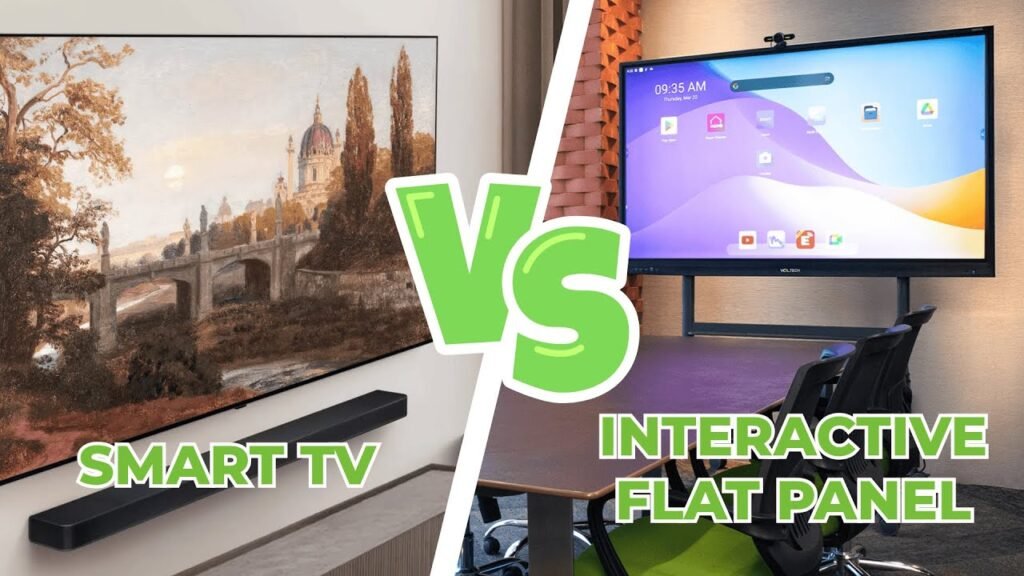
What Is a Smart TV?
A Smart TV is a television set with built-in internet connectivity and an operating system — typically Android TV, Tizen (Samsung) or WebOS (LG). It is designed for passive consumption of content: watching videos, streaming OTT platforms, browsing the web on a large screen.
Smart TVs are built for living rooms and commercial display environments. Their key design priorities are picture quality for video content, audio quality for entertainment, and simplicity of remote-control operation from a distance of 2 to 5 metres.
They are not designed to be touched, written on, annotated, or used as collaborative teaching tools.
What Is an Interactive Flat Panel?
An Interactive Flat Panel (IFP) is a large-format touchscreen display specifically designed for education and corporate collaboration environments. It combines a high-brightness 4K display with a precision multi-touch surface, a built-in Android operating system optimised for productivity, powerful front-facing speakers, and software designed for classroom and meeting room use.
The key word is interactive. An IFP is built for teachers and students to touch, write on, draw on, annotate over, drag and drop, and interact with — directly on the screen surface — with the same naturalness as writing on a whiteboard.
Leading brands in India include Philips, ViewSonic, BenQ, LG CreateBoard, Samsung Flip, Optoma, Reach and Triumph Board.
The 10-Point Comparison — IFP vs Smart TV for Schools
1. Touch Functionality
Smart TV: No touch capability whatsoever. A Smart TV is operated entirely by remote control. You cannot touch the screen, write on it, annotate over a presentation or have students come up and interact with content directly. Period.
Interactive Flat Panel: Multi-touch capability is built into the screen itself — typically 10 to 20 simultaneous touch points. Teachers write directly on the screen with their finger or a stylus. Students can walk up and interact with content, drag items, answer questions by touching the screen, and collaborate in groups at the display.
Winner: IFP — and it is not even close. Touch interactivity is the entire reason the technology exists.
2. Writing and Annotation
Smart TV: Cannot be written on. You cannot annotate over a PDF, draw on a presentation slide, circle an answer on a maths problem or highlight a sentence in a passage — all the things teachers do dozens of times every class period.
Interactive Flat Panel: Comes with built-in whiteboard software that allows teachers to write, draw, highlight and annotate over any content displayed on the screen — presentations, videos, websites, documents. Annotations can be saved, shared and printed. Many IFPs include dedicated styluses that simulate the feel of writing on paper.
Winner: IFP
3. Screen Brightness
Smart TV: Typical brightness ranges from 300 to 400 nits. Designed for dim living rooms and controlled lighting environments. In a brightly lit classroom — especially near windows in an Indian school — the image on a Smart TV becomes washed out and difficult to see from the back rows.
Interactive Flat Panel: Brightness ranges from 350 to 550 nits on standard models, with anti-glare glass coating designed to work under fluorescent classroom lighting and near natural light sources. The combination of higher brightness and anti-glare surface ensures the display is readable from every seat in the classroom regardless of ambient light conditions.
Winner: IFP — especially important for Indian classrooms where controlling ambient light is impractical.
4. Operating System and Educational Software
Smart TV: Runs Android TV, Tizen or WebOS — operating systems designed for content streaming and media consumption. Access to educational apps is limited. DIKSHA, Google Classroom and most school-specific software are not natively supported or optimised for Smart TV operating systems. Sideloading apps is possible but unreliable and unsupported.
Interactive Flat Panel: Runs full Android (typically Android 11 or Android 14 on newer models) — the same Android found on tablets and phones. This means native support for DIKSHA, Google Classroom, Khan Academy, Microsoft Teams, Zoom, YouTube Education, and thousands of educational apps from the Play Store. Most IFPs also support OPS (Open Pluggable Specification) slots for inserting a Windows PC module directly into the panel.
Winner: IFP
5. Screen Mirroring and Student Device Casting
Smart TV: Basic screen mirroring via Chromecast or Miracast is available on some Smart TVs. However, the implementation is inconsistent, often laggy, and not designed for a classroom environment where multiple students may want to share their screen in sequence.
Interactive Flat Panel: Built-in multi-device screen mirroring allows the teacher and students to share their phone, tablet or laptop screen wirelessly to the IFP from anywhere in the classroom. Teachers can display a student’s work directly on the IFP for the whole class to review — a powerful pedagogical tool that Smart TVs simply cannot replicate reliably.
Winner: IFP
6. Audio Quality for Classrooms
Smart TV: TV speakers are designed for living room acoustics — small spaces, close range, typically 2 to 3 metres. In a classroom of 30 to 40 students with ambient noise, Smart TV audio is often inadequate for the back rows without a separate speaker system.
Interactive Flat Panel: IFPs come with front-facing speakers of 2x20W to 2x30W — significantly more powerful than TV speakers and positioned to project sound outward into the classroom rather than sideways or downward. Most IFPs also include a microphone for video calling and recording, which Smart TVs do not.
Winner: IFP
7. Durability and Usage Cycle
Smart TV: Designed for residential or light commercial use — typically 6 to 8 hours of daily operation. A school using a Smart TV for 8 to 10 hours per day, 220 days per year, will likely exceed the designed usage envelope within 3 to 4 years. Warranty claims for heavy commercial use may be rejected by manufacturers.
Interactive Flat Panel: Designed specifically for continuous educational and commercial use. LED backlight rated for 50,000+ hours — over 22 years at 6 hours per school day. Built for 8 to 12 hours of daily operation. Warranty is explicitly designed for institutional use. Most reputed brands offer a 3-year onsite warranty for IFPs.
Winner: IFP — significantly more durable for school environments.
8. Physical Durability — Screen and Surface
Smart TV: Standard glass screen. Not designed to be touched repeatedly by students. The surface can scratch and the screen can crack under even light physical stress — a significant concern in a classroom where students interact physically with the display.
Interactive Flat Panel: Toughened anti-glare glass surface (typically 4mm tempered glass) specifically designed to withstand tens of thousands of touch interactions without scratching or degrading. Corner protection and reinforced housing are standard on educational-grade IFPs.
Winner: IFP
9. Price — Upfront and Total Cost of Ownership
Smart TV: A 75-inch Smart TV from a reputed brand (Samsung, LG, Sony) costs ₹80,000 to ₹1,40,000. This is where the comparison seems to favour the Smart TV strongly.
Interactive Flat Panel: A 75-inch IFP from a reputed brand costs ₹90,000 to ₹1,60,000 from established brands, or ₹65,000 to ₹85,000 from value segment brands like Reach and Triumph Board.
The total cost of ownership picture changes significantly over 5 years:
| Cost Factor | Smart TV (5 years) | IFP (5 years) |
|---|---|---|
| Purchase price | ₹1,00,000 | ₹1,20,000 |
| Separate speaker system needed | ₹15,000 | ₹0 |
| Separate whiteboard/annotation software | ₹20,000+ | ₹0 (built-in) |
| Replacement at year 4 (heavy use) | ₹1,00,000 | ₹0 |
| AMC | ₹10,000 | ₹25,000 |
| Total 5-year cost | ₹2,45,000 | ₹1,45,000 |
The IFP is actually cheaper over the life of the product — and that calculation does not include the educational value difference.
Winner: IFP on total cost of ownership. Smart TV wins only on upfront price.
10. Warranty and After-Sales Support
Smart TV: Consumer warranty — typically 1 year. Heavy commercial or institutional use often voids warranty terms. Getting a Samsung or LG TV warranty claim processed for a school installation is notoriously difficult.
Interactive Flat Panel: 3-year onsite warranty standard on most reputed IFP brands. Purchased through an authorised dealer, the warranty is explicitly valid for school and institutional use. Annual Maintenance Contracts extend support well beyond the warranty period with predictable annual costs.
Winner: IFP
Can a Smart TV Replace an Interactive Flat Panel in a School?
Technically, a Smart TV can display content. A teacher can connect a laptop via HDMI and show a PowerPoint presentation on a 75-inch Smart TV. Students can see it clearly.
But that is the same as saying a motorbike can carry cargo because it has a rack on the back. It can, technically. But it is not what the product was designed for, and it will underperform in almost every relevant dimension compared to a vehicle designed for that purpose.
A Smart TV in a classroom is a passive display. An IFP in a classroom is an interactive teaching platform. Those are not the same thing, and the research on classroom outcomes reflects this consistently.
The question is not whether a Smart TV can work. The question is whether it is the right product for the investment your school is making in technology — and whether it will still be working, still be relevant and still be covered by warranty in year 4 when your teachers have come to depend on it.
When Should a School Choose a Smart TV Instead?
There are scenarios where a Smart TV is a genuinely reasonable choice:
Assembly hall or auditorium display — If the screen is used purely for displaying content during events, assemblies or movie screenings with no interactivity required, a large Smart TV is perfectly adequate and significantly cheaper than an IFP for this use case.
Staff room notice board or announcement display — A Smart TV running a digital signage app for displaying timetables, announcements and notices is entirely appropriate.
Very tight per-classroom budget — If a school needs to equip 30 classrooms on an extremely limited budget and has no choice but to prioritise coverage over quality, a Smart TV allows more classrooms to be covered at lower cost. But the school should be fully aware of what it is sacrificing and plan to upgrade within 3 to 4 years.
Temporary installation — Rented premises or temporary classrooms where a permanent installation is not appropriate.
When Should a School Absolutely Choose an IFP?
New classroom construction or renovation — If you are building new classrooms or renovating existing ones, install IFPs. The per-classroom cost difference is modest and the benefit over a 10-year horizon is enormous.
CBSE, ICSE or Cambridge affiliated schools — Inspection boards increasingly look for interactive technology in classrooms. An IFP signals commitment to modern pedagogy. A Smart TV does not.
Government schools under Mana Badi Nadu Nedu or DIKSHA — The AP government’s smart classroom specifications explicitly require DIKSHA-compatible interactive displays. A Smart TV does not natively meet these specifications.
Schools where teacher adoption of technology is a goal — Smart TVs require a connected laptop to do anything useful in the classroom. IFPs are standalone — teachers interact with them directly. The adoption rate for standalone touch displays is dramatically higher than for TV plus laptop setups, because the technology feels natural and immediate.
Schools replacing a projector that has failed — Do not replace a broken projector with a Smart TV. Replace it with an IFP. The jump in usability, reliability and teaching capability is far greater, and the cost difference from a 75-inch Smart TV to a value-segment IFP is now under ₹20,000 to ₹30,000.
Summary Scorecard — IFP vs Smart TV for Schools
| Feature | Smart TV | Interactive Flat Panel |
|---|---|---|
| Touch interactivity | ✗ None | ✓ 10–20 point multi-touch |
| Writing and annotation | ✗ Not possible | ✓ Built-in whiteboard |
| Brightness for classrooms | ⚠️ Adequate | ✓ Optimised + anti-glare |
| Educational software (DIKSHA) | ⚠️ Limited | ✓ Full Android support |
| Screen mirroring (students) | ⚠️ Basic | ✓ Multi-device simultaneous |
| Classroom audio | ⚠️ Needs external speaker | ✓ Front-facing 40W built-in |
| Durability for school use | ⚠️ Consumer grade | ✓ Institutional grade |
| Screen surface for touch | ✗ Standard glass | ✓ Tempered anti-glare |
| Upfront price (75 inch) | ✓ ₹80K–₹1.4L | ⚠️ ₹65K–₹1.6L |
| 5-year total cost | ✗ Higher | ✓ Lower |
| Warranty for school use | ✗ Consumer only | ✓ 3-year institutional |
| Overall for classrooms | Not recommended | Strongly recommended |
Frequently Asked Questions
Q: Can we use a Smart TV as a whiteboard?
No. A Smart TV has no touch surface and no annotation capability. To use it as a whiteboard you would need a separate digital whiteboard device or a touchscreen overlay kit — which adds cost and complexity and still does not match the performance of a purpose-built IFP.
Q: Is a Samsung Smart TV the same as a Samsung interactive display?
No. Samsung makes two completely separate product lines. The Samsung Smart TV is a consumer television. The Samsung Flip and Samsung WAD series are commercial interactive displays. They look similar but share no components relevant to education. Always check which product line you are purchasing.
Q: Can a Smart TV connect to DIKSHA?
DIKSHA is available as an Android app. On Android TV (which some Smart TVs run), the app may be installable via sideloading but it is not officially supported, may not function correctly, and will not receive updates. On a standard IFP running full Android, DIKSHA installs and runs exactly as it does on a tablet.
Q: We already have a Smart TV in our classroom. Should we replace it?
If it is working and your teachers are not using it interactively, there is no emergency to replace it right now. But when it needs replacement — or when the school is ready to invest in genuine interactive learning technology — choose an IFP. The experience difference will be immediately apparent to every teacher who uses it.
Q: What size IFP should a school buy?
For classrooms up to 9 metres in depth with 30 to 40 students, a 75-inch panel is the standard recommendation. For larger classrooms up to 12 metres, an 86-inch panel provides better rear-row visibility. Anything larger than 12 metres may need two panels or a projector.
Q: Which IFP brands are available in Vijayawada?
Raise Solutions supplies and installs Philips, ViewSonic and Optoma IFPs across Vijayawada and Andhra Pradesh — all with valid India warranty, free site assessment and Annual Maintenance Contracts. Call us on +91 85229 59096 for a free demo at your school.
Q: Does a government scheme cover IFP purchase for private schools?
Some government schemes under Samagra Shiksha Abhiyan and the CBSE Smart Class guidelines provide funding support for affiliated schools. Private unaided schools should check with their district SSA coordinator for current eligibility. Raise Solutions can assist with documentation and specification requirements.
Conclusion — The Honest Answer for School Decision Makers
If your school is buying a screen for a classroom with the intention of using it for teaching — not just displaying content, but genuinely interactive, engaging, technology-enhanced teaching — buy an Interactive Flat Panel.
The Smart TV is cheaper today. The IFP is cheaper over five years. The Smart TV is a television. The IFP is a teaching tool. Those two things are not the same, and treating them as interchangeable because they both have large screens and Android inside is the most common and most costly mistake schools make when buying classroom technology.
The price gap between a value-segment IFP and a large Smart TV is now smaller than ever — in many cases under ₹20,000 for a 75-inch comparison. That difference, spread across the school budget, is nothing compared to the difference in teaching quality, student engagement and technology longevity over the life of the investment.
Buy the right product. Your teachers and your students deserve it.
Looking for Interactive Flat Panels for Your School in Andhra Pradesh?
Raise Solutions is Vijayawada’s authorised supplier and installer of Interactive Flat Panels for schools, colleges and coaching institutes across Andhra Pradesh. Free site assessment, locked pricing, teacher training included and Annual Maintenance Contract available from day one.
📞 +91 85229 59096
📧 info@raisesolutions.in
🌐 www.raisesolutions.in
📍 Poranki, Vijayawada, Andhra Pradesh
Serving Vijayawada · Guntur · Amaravati · Krishna District · All of Andhra Pradesh