
If you have been researching smart classroom technology, digital displays for your office, or modern teaching tools for your school, you have almost certainly come across the abbreviation IFP — and wondered what it stands for.
It appears in government school tenders, CBSE circular documents, corporate AV specifications, education technology catalogues and sales brochures across India. Sometimes it is written as IFP. Sometimes as IFPD. Sometimes as IFP panel or IFP display. The terminology can be confusing — especially when different brands and vendors use it differently.
This guide answers the question completely. What IFP stands for, what it means, how it works, how it differs from related terms, and what you need to know before buying one in India in 2026.
IFP Full Form — The Direct Answer
IFP stands for Interactive Flat Panel.
That is the full form. Interactive Flat Panel. Three words that describe exactly what the device is — a flat panel display that you can interact with directly, using touch, a stylus or a finger.
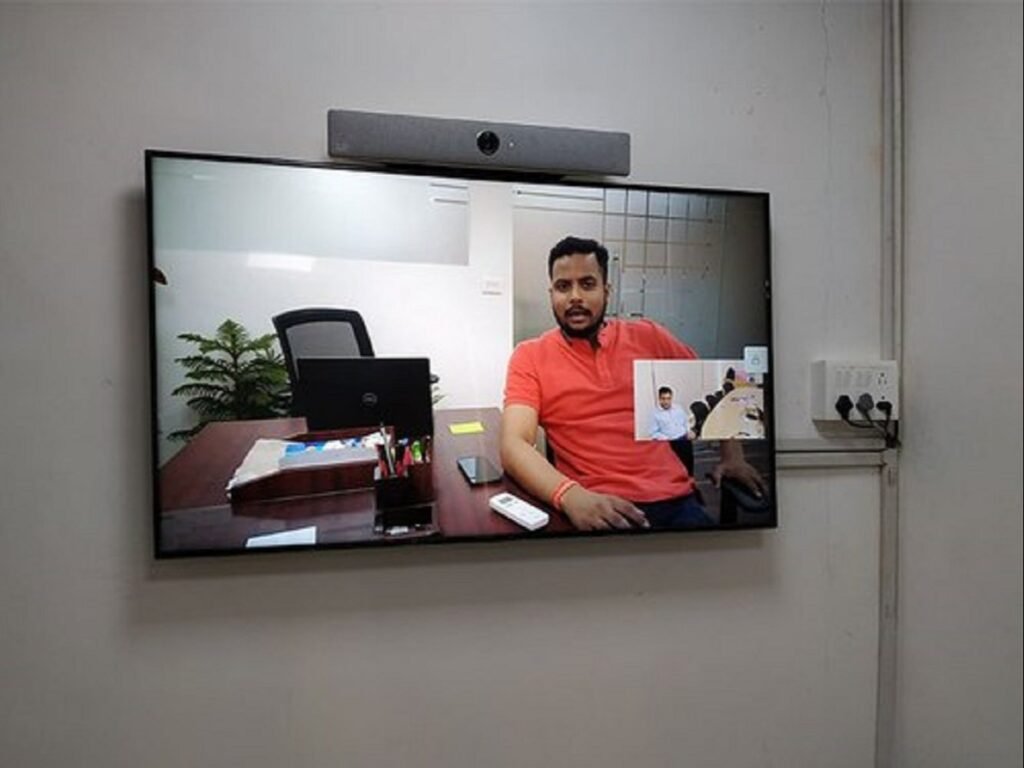
IFPD full form: Interactive Flat Panel Display — the same device with the word “display” added. Used interchangeably with IFP in most contexts.
IFP panel full form: Also Interactive Flat Panel — “panel” here is redundant since “panel” is already part of the full form, but the phrase is widely used in casual and commercial usage across India.
IFP Meaning — What Does Interactive Flat Panel Actually Mean?
Breaking the full form down word by word gives you the clearest understanding of what the device is:
Interactive — The display responds to touch input. A user can touch the screen surface, write on it with a finger or stylus, drag and drop content, annotate over documents and presentations, and collaborate directly on the screen — the same way you interact with a smartphone or tablet, but on a much larger surface area. This is what separates an IFP from a standard television or a non-touch commercial display.
Flat — The screen is flat — as opposed to curved, projected or rear-projection. All modern large-format displays are flat panel, but the word distinguishes IFPs from older interactive technologies like interactive whiteboards, which required a separate projector and screen surface.
Panel — Refers to the display panel technology itself — the flat screen using LED-backlit LCD or direct LED technology to produce the image.
Taken together: an Interactive Flat Panel is a large, flat touchscreen display designed for interactive use — for teaching, presenting, collaborating and creating, not just for passively viewing content.
IFP Abbreviation — Other Names for the Same Device
The same product is referred to by several names across different contexts in India. All of these refer to the same fundamental device:
| Term | Full Form / Meaning |
|---|---|
| IFP | Interactive Flat Panel |
| IFPD | Interactive Flat Panel Display |
| IFP panel | Interactive Flat Panel (panel is redundant) |
| Interactive panel | Same — shortened form |
| Interactive display | Same — used in corporate contexts |
| Interactive flat screen | Same — informal usage |
| Smart board | Generic term — originally a brand name (SMART Technologies), now used broadly |
| Digital board | Informal — common in schools |
| Touch screen board | Informal — common in schools and coaching institutes |
| Electronic whiteboard | Older term — sometimes used for IFPs replacing traditional whiteboards |
| Interactive whiteboard (IWB) | Technically different — IWB is a projector-based system. IFP is self-contained. |
Important distinction: An IFP and an Interactive Whiteboard (IWB) are not the same thing. An IWB is a white surface connected to a projector — the image is projected onto the surface, and the surface is touch-sensitive. An IFP is a self-contained unit — the display and the touch sensor are integrated into one panel, the way a tablet screen integrates its display and touch layer. IFPs are generally considered the successor technology to IWBs.
IFP Stands For — What Makes an IFP Different from a TV or Monitor?
This is the question most buyers ask once they understand the full form. If IFP just means a large touchscreen, why is it different from a large Smart TV with a touch overlay?
The answer is that IFPs are purpose-built for interactive use — every design decision is different from a television:
Touch Technology
IFPs use infrared or capacitive multi-touch technology integrated directly into the glass surface — typically supporting 10 to 40 simultaneous touch points. Smart TVs have no touch capability at all.
Operating System
IFPs run full Android (Android 11 or Android 14 on newer models) — the same Android found on tablets, with access to the full Google Play Store, DIKSHA, Google Classroom, Microsoft Teams and all educational and productivity apps. Smart TVs run Android TV or proprietary systems designed for media consumption, with limited app support.
Brightness and Anti-Glare
IFPs are designed for use in brightly lit rooms — classrooms, meeting rooms, training halls. Screen brightness typically ranges from 350 to 550 nits, with anti-glare tempered glass coating that reduces reflections. Smart TVs are optimised for dim living rooms and wash out under classroom or office fluorescent lighting.
Built-in Whiteboard Software
Every IFP includes built-in whiteboard and annotation software — allowing teachers and presenters to write, draw, highlight and annotate over any content on the screen. There is no equivalent on a Smart TV.
Front-Facing Speakers
IFPs have front-facing speakers of 2x20W to 2x30W or more, positioned to project sound outward into a classroom or meeting room. TV speakers are designed for living room acoustics.
Durability
IFPs are built for 8 to 12 hours of daily operation, 220+ days per year. The LED backlight is rated for 50,000+ hours. They carry institutional warranties. Smart TVs are designed for residential use.
OPS Slot
Most IFPs include an OPS (Open Pluggable Specification) slot — a standardised bay inside the panel for inserting a Windows PC module, effectively turning the IFP into a full Windows computer without any external device needed.
IFP Sizes — What Sizes Are Available in India?
IFPs are available in the following standard sizes in India:
| Size | Best For |
|---|---|
| 55 inch | Small meeting rooms, seminar rooms, coaching institute classrooms |
| 65 inch | Standard classrooms up to 7 metres depth, medium meeting rooms |
| 75 inch | Standard classrooms up to 9 metres depth — most popular size for schools |
| 86 inch | Large classrooms up to 12 metres depth, large conference rooms |
| 98 inch | Auditoriums, large boardrooms, lecture halls |
Most popular size in India for schools: 75 inch — recommended for classrooms with 30 to 45 students and up to 9 metres room depth.
Most popular size in India for corporate use: 65 inch for standard meeting rooms, 75 inch or 86 inch for large boardrooms and training rooms.
IFP Price in India 2026 — What Does an IFP Cost?
IFP prices in India vary significantly based on size, brand, operating system version, touch technology and warranty terms.
| Size | Value Segment | Mid Segment | Premium Segment |
|---|---|---|---|
| 55 inch | ₹45,000 – ₹65,000 | ₹70,000 – ₹95,000 | ₹1,00,000+ |
| 65 inch | ₹55,000 – ₹80,000 | ₹85,000 – ₹1,20,000 | ₹1,30,000+ |
| 75 inch | ₹65,000 – ₹95,000 | ₹1,00,000 – ₹1,50,000 | ₹1,60,000+ |
| 86 inch | ₹90,000 – ₹1,30,000 | ₹1,40,000 – ₹2,00,000 | ₹2,20,000+ |
| 98 inch | ₹1,80,000 – ₹2,50,000 | ₹2,60,000 – ₹4,00,000 | ₹4,00,000+ |
Prices above are ex-GST, excluding wall mount, installation, wiring and teacher training. Always request a complete all-inclusive quotation from your authorised dealer before comparing prices.
Value segment brands in India: Reach, Triumph Board, Roylex, AV Vision
Mid segment brands: ViewSonic, Optoma, Maxhub, Coda
Premium segment brands: Philips, BenQ, LG CreateBoard, Samsung Flip
IFP Full Form in Different Indian Languages
As IFP adoption grows across India — particularly in government school programmes — the term is increasingly appearing in regional language contexts.
IFP full form in Hindi: इंटरएक्टिव फ्लैट पैनल (Interactive Flat Panel) — often shortened colloquially to “टच बोर्ड” (touch board) or “डिजिटल बोर्ड” (digital board) in school settings.
IFP full form in Telugu: ఇంటరాక్టివ్ ఫ్లాట్ పానెల్ — in Andhra Pradesh government school contexts often referred to as “స్మార్ట్ క్లాస్ బోర్డ్” (smart class board).
IFP full form in Tamil: ஊடாடும் பட்டை பலகை — commonly called “டிஜிட்டல் போர்டு” (digital board) in Tamil Nadu school usage.
IFP in Government School Programmes — India 2026
The term IFP appears prominently in several central and state government education technology initiatives:
DIKSHA (Digital Infrastructure for Knowledge Sharing) — India’s national digital learning platform. DIKSHA-compatible IFPs allow teachers to access the full DIKSHA content library — textbooks, lesson plans, practice questions and educational videos — directly on the screen without a separate device. All IFPs recommended for government schools should be verified as DIKSHA-compatible.
Samagra Shiksha Abhiyan — The central government’s school education improvement programme includes provisions for smart classroom equipment including IFPs in eligible government schools.
PM eVidya — Part of the national digital education initiative. IFPs support the local delivery of PM eVidya content in classrooms.
Mana Badi Nadu Nedu (Andhra Pradesh) — The AP government’s school infrastructure improvement scheme has included IFP installation as part of smart classroom upgrades across government schools in Andhra Pradesh. Schools under this programme should specify IFPs that support DIKSHA, have minimum 4K resolution, and carry a minimum 3-year onsite warranty.
How to Choose an IFP — 8 Things to Check Before Buying
Whether you are buying an IFP for a school, a coaching institute, a hospital training room or a corporate office, these are the key specifications to verify before purchasing:
1. Screen size vs room depth
Measure the distance from the board to the last row of seats. For every 1.5 metres of room depth, add 10 inches of screen size. A 9-metre classroom needs at least a 75-inch panel.
2. Android version
Android 11 minimum. Android 14 preferred for newer models — it provides better app compatibility, security updates and longer software support life. Avoid any IFP still running Android 8 or 9 — it will not receive updates and app compatibility is limited.
3. RAM and internal storage
Minimum 4GB RAM and 32GB storage for basic educational use. 8GB RAM and 128GB storage recommended for smooth multitasking — running DIKSHA, video calls and presentations simultaneously.
4. Touch points
10 touch points minimum. 20 touch points preferred — allows multiple students to interact with the screen simultaneously during group activities.
5. Brightness and anti-glare
Minimum 350 nits for indoor use. Anti-glare coating is essential for classrooms and training rooms with fluorescent lighting or natural light near windows.
6. OPS slot
If you plan to connect to a Windows-based school management system or need to run Windows software on the panel, verify the OPS slot is present and specify the correct OPS module.
7. Warranty type
Always ask: is the warranty onsite or carry-in? Onsite means the service technician comes to your premises. Carry-in means you must transport the panel to a service centre — impractical for a wall-mounted 75-inch display. Insist on onsite warranty for all institutional purchases.
8. Authorised dealer
Buy from an authorised dealer with a valid dealership certificate from the brand. Grey-market IFPs may appear cheaper but carry no manufacturer warranty, may run unofficial Android builds, and have no local service support.
Frequently Asked Questions About IFP
IFP stands for Interactive Flat Panel. It is a large-format touchscreen display designed for educational and corporate interactive use — allowing users to write, annotate, present and collaborate directly on the screen surface.
Q: What is the full form of IFPD?
IFPD stands for Interactive Flat Panel Display. It is the same device as an IFP — the word “display” is added for clarity in some formal and technical specifications. IFP and IFPD are used interchangeably.
Q: Is IFP the same as a smart board?
Smart Board is a brand name — originally referring to products made by SMART Technologies. Over time “smart board” became a generic informal term used for all IFPs in India, similar to how “Xerox” is used generically for photocopying. A Smart Board is one specific brand of IFP, but all IFPs are colloquially called smart boards.
Q: What is the difference between IFP and IWB?
IFP (Interactive Flat Panel) is a self-contained unit — the display and touch surface are integrated. IWB (Interactive Whiteboard) requires a separate projector to display the image onto a touch-sensitive white surface. IFPs are brighter, sharper, more reliable and easier to use than IWBs. IFPs are now the industry standard replacement for IWBs in new school and corporate installations.
Q: What does IFP mean in a school tender?
When IFP appears in a school or government tender document in India, it refers to Interactive Flat Panel — a large touchscreen display with a built-in Android operating system, multi-touch capability and whiteboard software. Tenders typically specify minimum size (usually 75 inch), minimum Android version, DIKSHA compatibility, touch points and warranty terms.
Q: What is the IFP price in India?
IFP prices in India range from approximately ₹45,000 for a 55-inch value-segment model to over ₹4,00,000 for a premium 98-inch model. The most commonly purchased size — a 75-inch IFP for a school classroom — costs between ₹65,000 and ₹1,60,000 depending on brand and specifications. Contact Raise Solutions for a transparent, all-inclusive quotation for your specific requirements.
Q: What is the lifespan of an IFP?
A quality IFP from a reputed brand lasts 8 to 12 years with regular use and basic maintenance. The LED backlight is typically rated for 50,000+ hours — equivalent to over 22 years at 6 hours of daily school use. The operating system and software receive updates for typically 5 to 7 years on quality brands.
Q: Is IFP DIKSHA compatible?
Most modern IFPs running Android 9 and above can install DIKSHA from the Google Play Store. However, for government school and tender procurement in India, verify that the specific model has been tested and confirmed DIKSHA-compatible by the manufacturer. Raise Solutions can confirm DIKSHA compatibility for all IFP models we supply.
Q: What is IFP panel cost for a government school?
For a government school in Andhra Pradesh or any Indian state, a DIKSHA-compatible 75-inch IFP with onsite warranty typically costs ₹75,000 to ₹1,20,000 per unit, all-inclusive with installation and teacher training. Under schemes like Mana Badi Nadu Nedu, some or all of this cost may be covered by government funding — contact your district SSA coordinator for eligibility.
Q: What is IFP in education?
In education, IFP refers to Interactive Flat Panel — the large touchscreen display that has replaced chalk blackboards, whiteboards and projector-based smart boards in modern Indian classrooms. Teachers use it to display lessons, write and annotate, show videos, run educational apps, take digital attendance and conduct interactive quizzes with students.
Conclusion — IFP Stands For More Than Just a Screen
IFP — Interactive Flat Panel — is three words that represent a fundamental shift in how knowledge is delivered in Indian classrooms and how ideas are shared in Indian meeting rooms.
Understanding the full form is the starting point. The more important question for any school, college, hospital or corporate buyer is: which IFP is right for my space, my budget and my users?
The answer depends on room size, daily usage hours, software requirements, warranty expectations and long-term support needs — all of which vary significantly from one installation to the next.
Getting the right answer requires a conversation with someone who knows the products, the room, and the local service reality — not just the catalogue price.
Looking for an IFP for Your School or Office in Andhra Pradesh?
Raise Solutions is Vijayawada’s authorised supplier and installer of Interactive Flat Panels for schools, colleges, coaching institutes, hospitals and corporate offices across Andhra Pradesh. Free site assessment, locked all-inclusive pricing, teacher training included and Annual Maintenance Contract available from day one.
📞 +91 85229 59096
📧 info@raisesolutions.in
🌐 www.raisesolutions.in
📍 Poranki, Vijayawada, Andhra Pradesh
Serving Vijayawada · Guntur · Amaravati · Krishna District · All of Andhra Pradesh