
If you have been shopping for a large display for your office boardroom, training room, or classroom in India, you have almost certainly come across the term IFP panel — and wondered what it actually means.
Is it the same as a Smart TV? Is it a projector replacement? Is it a computer? Is it a whiteboard?
The answer is: it is all of those things combined — and more. But understanding exactly what an IFP panel is, what sets it apart, and whether it is the right investment for your business requires a proper explanation.
This guide covers everything — the full form, the meaning, how the technology works, how it compares to a Smart TV, and what specifications actually matter when you buy one in India in 2026.
IFP Full Form — What Does IFP Stand For?
IFP stands for Interactive Flat Panel.
Breaking it down word by word:
Interactive — the screen responds to touch. You can write on it with your finger, draw diagrams, annotate presentations, and control everything directly on the display surface. It is not a passive screen that only shows content — it actively responds to your input.
Flat — the display is flat, as opposed to curved screens or traditional projection screens. This means consistent viewing angles across the entire surface, no distortion at the edges, and a uniform brightness level from corner to corner.
Panel — it is a self-contained display unit. Unlike a projector that needs a separate screen and a dark room, an IFP panel is a standalone device. Everything — the display, the computer, the touch layer, the speakers — is built into one panel that mounts on a wall or a stand.
Put together: an Interactive Flat Panel is a large, flat, touch-enabled display that functions simultaneously as a screen, a whiteboard, a computer, and a collaboration tool — all in one device.
You may also see IFP panels referred to by other names in the market:
- IFPD — Interactive Flat Panel Display
- Interactive Display
- Smart Board (technically a brand name by SMART Technologies, but widely used generically)
- Interactive Touch Screen
- Digital Whiteboard
- Interactive Panel
All of these terms refer to the same category of product. IFP or IFPD is the most technically precise term used by manufacturers, IT procurement teams, and industry analysts.
What Is an IFP Panel — The Complete Meaning
An IFP panel is a professional-grade large-format touchscreen display designed specifically for business, education, and institutional environments.
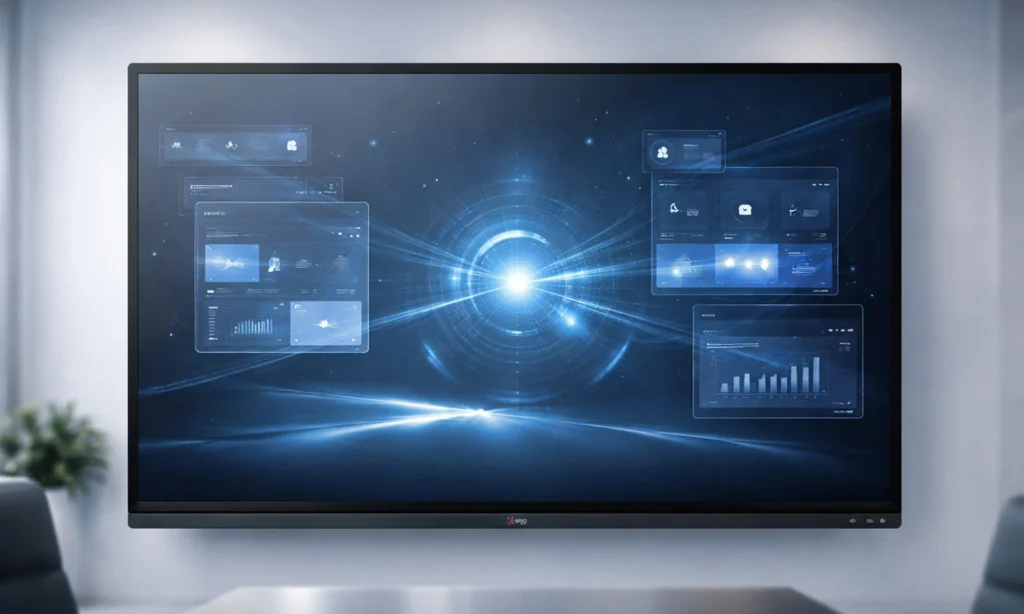
At its core, an IFP panel combines four technologies into one device:
1. A High-Resolution Display
Modern IFP panels use 4K Ultra HD LED or LCD panels — the same display technology used in high-end televisions but engineered for close-range professional use. They are significantly brighter than consumer TVs (350–450 nits) to remain clearly visible under strong office lighting and direct sunlight from windows.
2. A Multi-Touch Layer
Over the display surface sits an infrared (IR) touch sensing layer that detects the position of fingers, styluses, and palms with high precision. Premium IFP panels in 2026 support 40 simultaneous touch points — meaning multiple people can write, draw, and interact on the screen at the same time without any input conflicts.
This is what makes the panel genuinely interactive. You do not need a mouse or keyboard. You walk up to the screen and use it the way you would use a whiteboard — except everything you write is digital, saveable, shareable, and undoable.
3. A Built-in Computer
This is the feature that most surprises first-time buyers. An IFP panel has a fully functional computer built inside — a processor, RAM (typically 8GB in 2026 models), and storage (typically 128GB) running an operating system. Most current IFP panels run Android 14, though some enterprise models offer a Windows OPS module slot for those who need a full Windows environment.
This built-in computer means the panel works completely independently — no laptop, no external PC, no cables required. You can open a browser, run Zoom, display a Canva presentation, write on the whiteboard, and switch between apps — all without connecting anything external.
4. Built-in Audio and Connectivity
IFP panels include built-in speakers (typically 2 x 20W), multiple HDMI ports, USB-A and USB-C ports, a 3.5mm audio jack, an ethernet port, and WiFi. Premium models also include a front-facing camera for video conferencing and an array microphone for audio pickup across a meeting room.
IFP Panel vs Smart TV — The Complete Comparison
This is the question that causes the most confusion in the Indian market. At a glance, an IFP panel and a large Smart TV look similar. Both are flat screens. Both can show video content. Both have Android operating systems. Both connect to WiFi.
But the differences between them are significant — and they matter enormously in a professional environment.
Display Brightness
IFP Panel: 350–450 nits brightness, anti-glare glass coating, engineered for brightly-lit rooms.
Smart TV: 200–300 nits for standard models. Designed for home viewing in controlled lighting — living rooms with curtains drawn or dim evening light.
What this means in practice: Put a Smart TV in a conference room with overhead LED lighting and windows on one side. The image looks washed out. Text is hard to read from the back of the room. The screen reflects every light source in the room. An IFP panel in the same room remains bright, sharp, and readable from every seat.
Touch Technology
IFP Panel: True infrared multi-touch with 40 simultaneous touch points. Supports finger touch, passive stylus, and active stylus. Palm rejection built in — you can rest your hand on the screen while writing without creating accidental marks.
Smart TV: Most Smart TVs have no touch capability whatsoever. Some premium models offer basic 2-point touch — enough to pinch-zoom but completely inadequate for whiteboard use or multi-user annotation.
What this means in practice: You cannot use a Smart TV as a digital whiteboard. There is nothing to interact with. It is a display, not an input device.
Whiteboard and Annotation Software
IFP Panel: Built-in professional whiteboard software with infinite canvas, shape recognition, handwriting-to-text conversion, screenshot annotation, PDF annotation, and multi-page session management. Everything you write is saveable as a PDF or image and shareable instantly.
Smart TV: No whiteboard software. No annotation tools. No way to write on the screen.
What this means in practice: In a meeting, you can write on an IFP panel the way you write on a physical whiteboard — except the content is digital. Take a photo of the whiteboard before you erase it? With an IFP panel, you save the session with one tap and email it to everyone in the room before they stand up.
Google EDLA Certification
IFP Panel: Premium IFP panels like PeopleLink and TrueView carry Google EDLA (Enterprise Device Licensing Agreement) certification — meaning the Android OS is verified by Google, the Play Store is fully accessible, and all enterprise apps including Zoom, Teams, and Google Workspace are available in their latest versions with full functionality.
Smart TV: Smart TVs use Android TV — a different, consumer-oriented version of Android. The app selection is limited to what Android TV supports. Business apps like Zoom, Teams, and Canva are either unavailable, available in limited versions, or behave differently from their full Android counterparts.
What this means in practice: On a certified IFP panel, every app you use on your phone is available in full on the 86-inch screen. On a Smart TV, you frequently encounter “this app is not available for your device” — particularly for enterprise software.
Build Quality and Duty Cycle
IFP Panel: Engineered for 8–12 hours of daily commercial use, 365 days a year. The panel is designed to handle continuous operation, heavy touch interaction (thousands of touches per day), and the heat generated by sustained use. Internal cooling, reinforced glass (typically 4mm anti-glare toughened glass), and commercial-grade components.
Smart TV: Designed for 4–6 hours of daily home use. Consumer-grade internal components. Sustained 8-hour operation in a warm office environment degrades the panel faster than the manufacturer tested for.
What this means in practice: A Smart TV used as a boardroom display will likely show performance degradation — image quality, touch response if any, and OS speed — within 18–24 months. A commercial IFP panel is rated for 50,000+ hours of display life and is typically still performing well after 5–8 years.
Ports and Connectivity
IFP Panel: Multiple HDMI 2.0 ports (typically 3), USB-A 3.0 ports (typically 4), USB-C with display and power delivery, ethernet, RS232 for control systems, OPS slot for Windows module, audio in/out, and front-panel ports for easy access.
Smart TV: 2–3 HDMI ports, 2 USB ports (typically USB 2.0), WiFi. No OPS slot, no RS232, limited front-panel access.
What this means in practice: In a meeting room where multiple people need to connect laptops, a USB drive, a document camera, and a conferencing system — an IFP panel handles all of it simultaneously. A Smart TV runs out of ports fast and cannot support professional connectivity requirements.
Warranty and Support
IFP Panel: Commercial warranty — typically 3 years onsite for premium brands like PeopleLink and TrueView. A technician comes to your office for repairs. Dedicated commercial support channels.
Smart TV: Consumer warranty — typically 1 year, carry-in to service centre. You pack and transport the TV to a service centre if something goes wrong.
What this means in practice: For a critical boardroom display, carry-in warranty on a 75-inch screen is not just inconvenient — it is impractical. 3-year onsite warranty means your display downtime is measured in hours, not weeks.
IFP Panel vs Smart TV — Side-by-Side Summary
| Feature | IFP Panel | Smart TV |
|---|---|---|
| Full form | Interactive Flat Panel | Smart Television |
| Primary purpose | Professional collaboration | Home entertainment |
| Brightness | 350–450 nits | 200–300 nits |
| Touch points | 40 simultaneous | 0 (most models) |
| Whiteboard software | Built-in professional | Not available |
| Operating system | Android 14 (EDLA certified) | Android TV (limited) |
| Google Play Store | Full access (EDLA) | Restricted (Android TV) |
| RAM | 8GB | 2–4GB |
| Storage | 128GB | 8–16GB |
| Daily usage rating | 8–12 hours commercial | 4–6 hours home |
| Built-in lifespan | 50,000+ hours | 30,000–40,000 hours |
| Warranty | 3 years onsite | 1 year carry-in |
| Ports | Multiple HDMI, USB-C, OPS | Basic HDMI, USB |
| Price range | ₹80,000 – ₹3,00,000+ | ₹40,000 – ₹1,50,000 |
| Best for | Offices, schools, training rooms | Home, personal use |
IFP Panel vs Projector — Quick Comparison
While the Smart TV comparison is the most common, many Indian businesses also compare IFP panels with projectors. Here is the short version:
| Feature | IFP Panel | Projector |
|---|---|---|
| Image in bright room | Excellent | Poor — needs darkness |
| Touch / interactive | Yes — 40 points | No (standard projector) |
| Setup time | Instant — always on | 5–10 minutes every use |
| Maintenance | Zero | Bulb every 2–3 years |
| Noise | Silent | Fan noise always on |
| Resolution | 4K always | Degrades with bulb age |
| Lifespan | 50,000+ hours | 5,000–10,000 hours (bulb) |
For any office, training room, or classroom that uses the display regularly in normal lighting conditions — the IFP panel wins comprehensively.
IFP Panel Sizes Available in India
IFP panels are available in four standard sizes for the Indian market:
55 inch — ideal for small meeting rooms, cabins, and reception displays. Comfortable viewing distance up to 8–10 feet.
65 inch — the most common size for mid-size conference rooms and training rooms seating 8–15 people. Comfortable viewing distance up to 12–15 feet.
75 inch — ideal for larger conference rooms and training halls seating 15–25 people. The most popular size for corporate boardrooms in Vijayawada.
86 inch — the largest standard size. Suited for large training halls, auditorium-style rooms, and any space where 25+ people need to see clearly from the back. Viewing distance up to 25+ feet.
A simple rule of thumb for size selection: multiply your room’s viewing distance in feet by 0.84 to get the recommended diagonal screen size in inches.
Key IFP Panel Specifications Explained
When comparing IFP panels in India, these are the specifications that actually matter:
Resolution — 4K Ultra HD (3840 x 2160): This is the standard in 2026. Do not buy anything lower. 4K means presentation text, Excel spreadsheets, and fine diagrams are sharply readable from the back of any normal meeting room.
Touch Points — 40: The number of simultaneous touches the screen can register. 40 touch points means multiple people can annotate and interact simultaneously without input errors. Critical for collaborative workshops and training.
Operating System — Android 14: The latest Android version. Brings the best performance, security, app compatibility, and AI features. Avoid panels running Android 9 or Android 11 — they are already becoming obsolete.
RAM — 8GB: Determines multitasking smoothness. 8GB handles video calls, presentations, and browser tabs simultaneously without lag. 4GB RAM panels feel sluggish within 18 months.
Storage — 128GB: Enough to store your apps, presentation files, training materials, and session recordings without constantly managing space. 64GB fills up fast.
Google EDLA Certification: Confirms full, verified access to the Google Play Store. Without EDLA, business apps may be unavailable or restricted.
Brightness — 350 nits minimum: Ensures the screen is readable in a normally lit office or classroom. Below 300 nits struggles in bright environments.
Warranty — 3 Years Onsite: The only warranty that makes sense for a commercial display. Carry-in warranty on a large IFP panel is practically useless.
Who Uses IFP Panels in India?
Corporate offices and IT companies use IFP panels to replace projectors in boardrooms and meeting rooms. Daily standups, project planning, client presentations, and cross-team video conferences become faster and more professional.
Training and development centres use IFP panels to make training sessions interactive. Trainers annotate, play videos, run live polls, and switch between apps — all on one screen. Participant engagement measurably improves.
Schools, colleges, and coaching centres use IFP panels to replace blackboards and projectors in classrooms. Teachers write on the screen, play educational videos, annotate diagrams, and save lessons for later sharing.
Hospitals use IFP panels in medical education rooms, patient consultation spaces, and departmental briefing areas.
Government offices and PSUs use IFP panels in meeting rooms and training halls as part of digital transformation and paperless office initiatives.
Which IFP Panel Should You Buy in India in 2026?
For Indian businesses looking to buy an IFP panel in 2026, PeopleLink and TrueView are the strongest choices — purpose-built for Indian business environments with the following specifications:
- Sizes: 55″, 65″, 75″, 86″
- Resolution: 4K Ultra HD
- Touch Points: 40
- Operating System: Android 14
- RAM: 8GB
- Storage: 128GB
- Certification: Google EDLA
- AI Features: Built-in
- Warranty: 3 Years Onsite
- EMI: Available
Both brands are available from Raise Solutions — the authorised dealer in Vijayawada, Andhra Pradesh. You can see a live demonstration at the Experience Center before making any purchase decision.
Where to Buy IFP Panels in Vijayawada
Raise Solutions Experience Center
1st Floor, Pradham Building, beside Indian Oil Petrol Pump
Nidamanuru Road, Poranki-521137, Vijayawada, Andhra Pradesh
📞 94926 67817 | 85229 59096
🌐 www.raisesolutions.in
Free demo available. EMI options available. No obligation.
IFP stands for Interactive Flat Panel — and it represents the most significant upgrade a business can make to its meeting rooms, training spaces, and classrooms in 2026.
It is not a Smart TV. It is not a projector replacement. It is not just a big screen. It is a complete collaboration platform that combines a 4K display, a 40-point touchscreen, a built-in Android 14 computer, professional whiteboard software, and commercial-grade durability into one wall-mounted device.
The difference between an IFP panel and a Smart TV is the difference between a professional tool and a consumer appliance. In a business environment where your displays are used every single working day to communicate, collaborate, and present — that difference matters from the first morning meeting.
If you are considering an IFP panel for your office, training room, or classroom in Vijayawada or anywhere in Andhra Pradesh — call Raise Solutions on 94926 67817 for a free demo and transparent quote.
Published by Raise Solutions | Vijayawada’s Authorised PeopleLink & TrueView Interactive Flat Panel Dealer
94926 67817 | raisesolutions.in | Poranki-521137, Vijayawada, Andhra Pradesh