
If you are shopping for an interactive flat panel for your school, office, or training room, the first question that stops everyone in their tracks is: what size should I buy?
Most people assume bigger is always better. That is not true. A panel that is too large for a small room creates eye strain and makes it impossible for people in the front row to see the full screen comfortably. A panel that is too small for a large conference room means people at the back cannot read the content clearly. Either way, you lose the benefit of spending lakhs on the technology.
This guide breaks down every size — 55 inch, 65 inch, 75 inch, and 86 inch — across every factor that matters: room size, viewing distance, use case, price, and more. By the end, you will know exactly which size is right for your space.
What Is an Interactive Flat Panel?
An interactive flat panel (IFP) is a large touchscreen display — similar to a giant tablet mounted on a wall or stand — that replaces traditional whiteboards, projectors, and presentation screens. Teachers can write on it, draw diagrams, pull up YouTube videos, run apps, and share content wirelessly from a student’s phone or a presenter’s laptop.
In offices, they are used for meetings, video calls, presentations, and collaborative whiteboarding. In training centres, they serve as the anchor for the entire learning experience.
The most popular sizes in India today are 55 inch, 65 inch, 75 inch, and 86 inch. Each serves a very different purpose.
The Golden Rule: Viewing Distance
Before we compare sizes, you need to understand the one rule that governs every size decision.
The minimum viewing distance for a 4K interactive panel is roughly 1.5 times the screen height. The maximum comfortable viewing distance is roughly 4 to 6 times the screen height.
Here is what that looks like for each size:
55 inch panel — screen height approximately 68 cm — minimum distance 1 metre, maximum comfortable distance 2.7 to 4 metres.
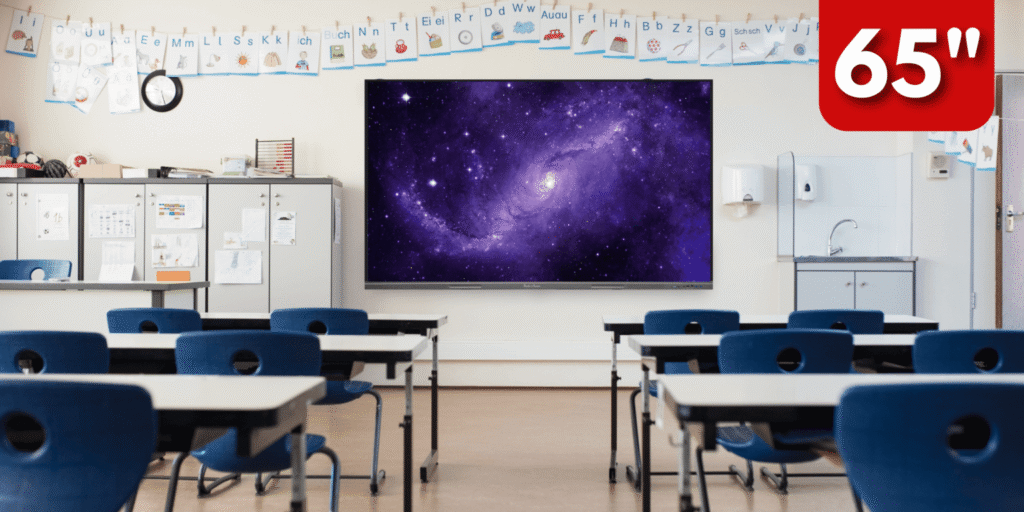
65 inch panel — screen height approximately 81 cm — minimum distance 1.2 metres, maximum comfortable distance 3.2 to 4.8 metres.
75 inch panel — screen height approximately 93 cm — minimum distance 1.4 metres, maximum comfortable distance 3.7 to 5.6 metres.
86 inch panel — screen height approximately 107 cm — minimum distance 1.6 metres, maximum comfortable distance 4.3 to 6.4 metres.
If your room length is 6 metres, a 55 inch panel is going to leave the back rows struggling. If your room length is 3 metres, an 86 inch panel will overwhelm the people sitting in the front.
55 Inch Interactive Panel
The 55 inch is the smallest of the four and is often misunderstood. Many buyers skip it assuming it is too small, but for the right use case it is the perfect choice.
The screen dimensions are approximately 122 cm wide by 68 cm tall. That is a substantial display — much larger than a typical desktop monitor or TV — but it is best suited for intimate spaces where the audience sits close to the screen.
Where it works best: personal offices and executive cabins, small meeting rooms for two to four people, reception areas for digital signage, one-on-one training and tutoring setups, and study rooms in homes or coaching centres.
Where it does not work: classrooms with more than fifteen students, conference rooms longer than four metres, auditoriums or seminar halls, and any space where people beyond the front two rows need to read detailed content.
The biggest advantage of a 55 inch panel is its price. It is the most affordable entry point into interactive panel technology, which makes it a practical choice for schools that want to put a panel in every classroom without exhausting the budget on the largest sizes.
It is also the lightest and easiest to install. Wall mounting a 55 inch panel requires minimal civil work and can be done in a single working day.
Ideal room size: up to 15 feet by 12 feet.
65 Inch Interactive Panel
The 65 inch is the sweet spot for most small-to-medium offices and classrooms, and it is consistently the second best-selling size across India.
The screen dimensions are approximately 144 cm wide by 81 cm tall. At this size, content is legible from four to five metres away, which covers most standard classrooms and meeting rooms comfortably.
Where it works best: classrooms with twenty to thirty students in a standard rectangular layout, small to medium conference rooms for up to twelve people, training rooms in corporate offices, and coaching institutes where students sit in two to four rows.
The 65 inch hits a balance that most other sizes cannot: it is large enough to fill a medium room with clear, readable content, but not so large that it becomes difficult to install or dominates a smaller space. The price is significantly lower than the 75 inch and 86 inch models, which makes it popular with budget-conscious schools and SME offices.
One thing to note: if your room is wider than it is long — which is common in Indian school architecture — a 65 inch may leave the corner seats struggling to see content at the edges of the screen. In wide rooms, consider stepping up to 75 inch.
Ideal room size: 15 to 20 feet in length, up to 20 students or 12 meeting participants.
75 Inch Interactive Panel
The 75 inch is the most popular size among schools, coaching institutes, and corporate training centres in India. It is the size most often recommended when a buyer asks “which one should I get?” without giving more context, because it covers the widest range of real-world room sizes.
The screen dimensions are approximately 166 cm wide by 93 cm tall. At this size, text and diagrams are clearly legible from up to five to six metres away, which covers most standard classrooms and boardrooms in India.
Where it works best: classrooms with thirty to forty students, large meeting rooms and boardrooms for up to twenty people, corporate training rooms and seminar spaces, coaching institutes with students seated in four to six rows, and school libraries and resource rooms.
The 75 inch is large enough that even students sitting at the back of a standard 25-foot classroom can read a normal-sized heading clearly. At the same time, it does not require the heavy-duty wall mounting or structural reinforcement that an 86 inch demands.
One consideration: the 75 inch panel costs noticeably more than the 65 inch — typically fifteen to twenty-five percent more depending on the brand — so the decision to step up should be driven by room size and audience count, not just preference for a larger screen.
Ideal room size: 18 to 30 feet in length, 25 to 40 people.
86 Inch Interactive Panel
The 86 inch is the largest interactive flat panel in mainstream use. It is designed for large classrooms, big conference halls, government training facilities, auditoriums, and any space where the audience extends beyond six metres from the screen.
The screen dimensions are approximately 190 cm wide by 107 cm tall. That is nearly two metres wide — roughly the width of a standard door. At this size, content is legible from up to seven or eight metres away, and the sheer visual impact of the display commands attention in any room.
Where it works best: large classrooms with forty or more students, auditoriums and seminar halls, government offices and public sector training facilities, high-end corporate boardrooms designed to impress, university lecture halls, and multi-purpose halls in schools that double as assembly spaces.
There are a few practical points to be aware of with 86 inch panels. First, they are heavy — most models weigh between 65 and 80 kilograms — so wall mounting requires proper structural assessment and heavy-duty brackets. Second, the installation cost is higher. Third, the price is substantially higher than smaller sizes, typically forty to sixty percent more than a 75 inch model of equivalent specification.
However, for rooms that genuinely need this size, there is no substitute. A 75 inch panel in a large hall simply will not deliver the visual coverage that forty or fifty students or delegates need.
Ideal room size: 25 feet and above in length, 40 or more people.
Quick Comparison at a Glance
55 inch — best for small offices, one-on-one setups, and executive cabins. Room up to 15 feet. Up to 10 people. Most affordable.
65 inch — best for medium classrooms, standard meeting rooms, and coaching centres. Room 15 to 20 feet. Up to 25 people. Good value.
75 inch — best for standard classrooms, boardrooms, and corporate training. Room 18 to 30 feet. Up to 40 people. Best all-rounder.
86 inch — best for large classrooms, seminar halls, and government facilities. Room 25 feet and above. 40-plus people. Premium investment.
What Else Should You Consider Beyond Size?
Size is the most important decision but it is not the only one. Here are the other factors that affect how well your interactive panel performs in the real world.
Resolution: All four sizes are available in 4K Ultra HD (3840 x 2160 pixels). Do not settle for Full HD on any panel larger than 65 inch — the pixel density drops noticeably and content looks blurry when you stand close to the screen.
Touch points: Look for panels with at least 20-point multi-touch. This allows multiple students or presenters to write on the screen simultaneously without lag.
Operating system: Most interactive panels run Android. Better models offer Android 11 or 13 with Google Play Store access. Some panels have dual OS with an embedded Windows slot.
Brightness: For rooms with windows or ambient light, aim for at least 400 nits. Brighter rooms need 450 nits or more. A dim panel in a sunlit classroom is nearly unusable.
Built-in software: Most brands bundle interactive whiteboard software, screen sharing apps, and video conferencing tools. Check what is included and whether it works offline, which matters in Indian schools where internet connectivity can be inconsistent.
Connectivity: Make sure the panel has HDMI, USB-A, USB-C, and an OPS slot if you plan to run Windows. Wireless screen mirroring via Miracast or AirPlay is a must-have in modern setups.
Which Size Does Raise Solutions Recommend?
After installing interactive panels across schools, colleges, government offices, and corporates in Vijayawada and across Andhra Pradesh, our recommendation is almost always the same:
For classrooms of 20 to 35 students — go with 75 inch.
For small offices and meeting rooms of up to 12 people — go with 65 inch.
For large halls and government facilities — go with 86 inch.
For personal cabins and one-on-one spaces — 55 inch is perfectly adequate.
The most common mistake we see is buyers purchasing a 65 inch for a classroom that needs a 75 inch, then realising six months later that students in the back rows cannot read the content clearly. The cost difference between the two is far smaller than the cost of replacing a panel that does not work for the space.
We offer a free site survey — our team visits your premises, measures the room, assesses the lighting, and recommends the right size and model before you spend a single rupee. Call us at +91 85229 59096 to book yours.
No. A standard Indian classroom of 25 to 30 feet in length is exactly the right size for a 75 inch panel. Students in the back rows will be able to read content clearly, and the panel will not overwhelm the front rows.
It can, but only for very small classrooms with fewer than fifteen students and a room length of under 15 feet. For a standard classroom, a 55 inch panel will leave the back rows unable to read clearly.